Guidelines
Welcome to the NEOLAiA Open Research Hub Guide! This platform is an important initiative under the NEOLAiA alliance, designed to foster collaboration among researchers from nine universities across Europe. By creating and maintaining a profile on this platform, you are contributing to a growing network of academic professionals, increasing your visibility, and opening opportunities for new collaborations, funding, and research synergies. Please read through this guide to understand the full registration and profile completion process.
1. Create your profile
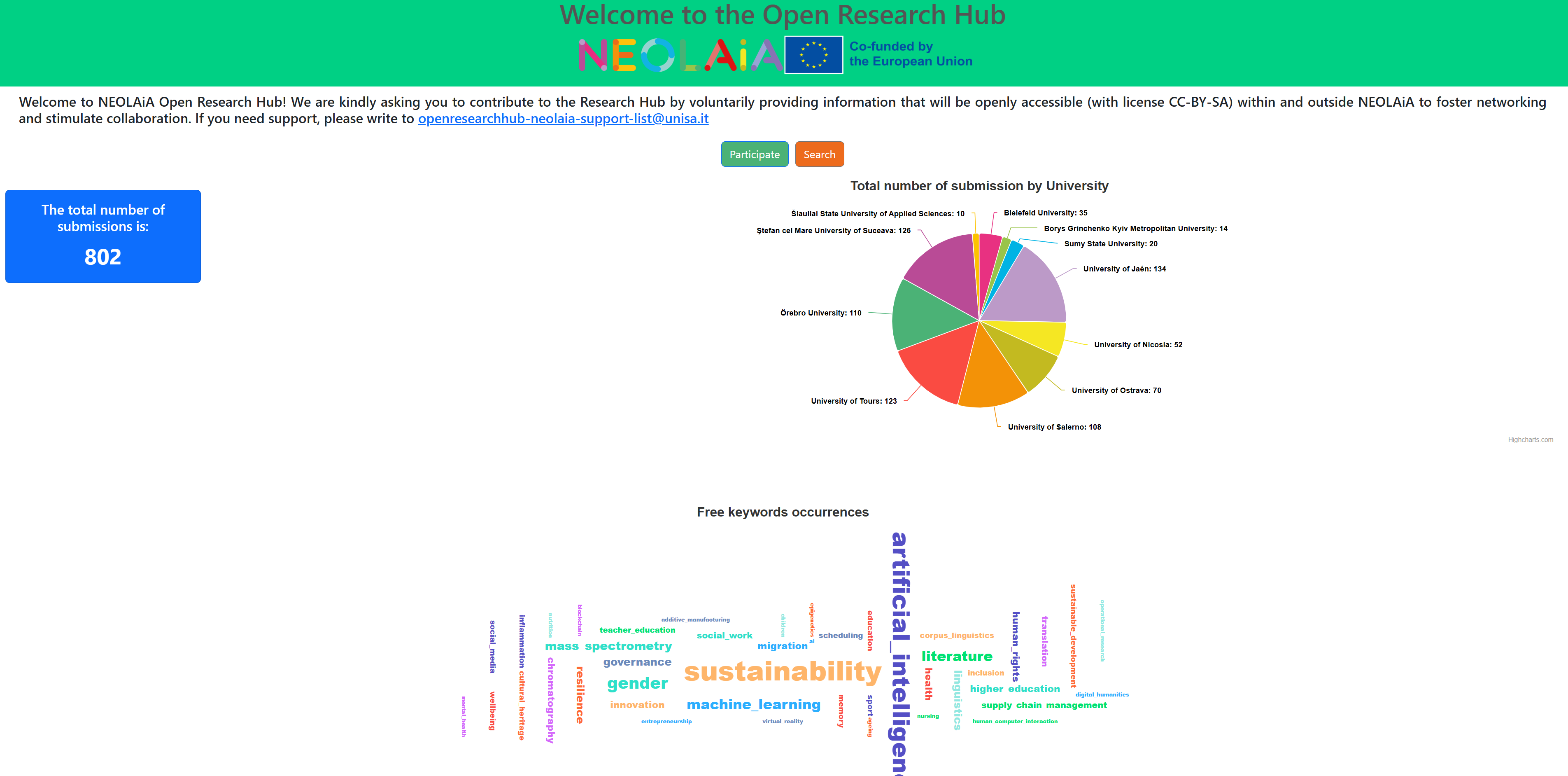
Go to data.neolaiacampus.eu/research-hub to access the platform’s homepage. Here, you’ll find information about researchers who are already registered, along with graphs and the total number of submissions. To join and contribute, simply click on Participate.
Once you click on "Participate," you’ll be directed to a section that provides an overview of the platform.
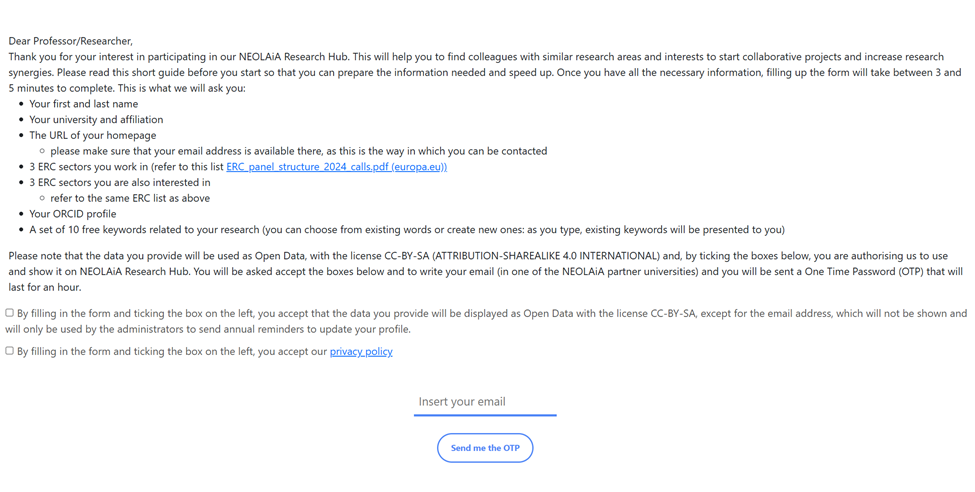
Here, you’ll also find the necessary information about the ERC Panel Structure, which can help you correctly complete your profile information. The document is available at this url: https://erc.europa.eu/sites/default/files/2023-03/ERC_panel_structure_2024_calls.pdf
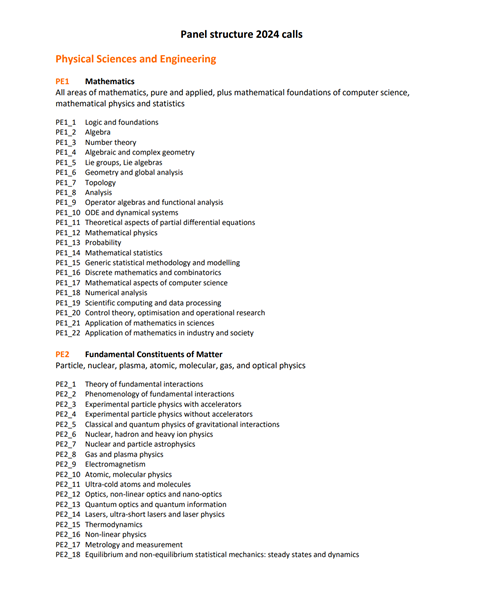
To proceed with creating your profile, make sure to check the boxes confirming:
o You accept that the data provided will be displayed as Open Data under the CC-BY-SA license (your email will remain private and used only for reminders to update your profile).
o You agree to the platform's privacy policy.
After that, enter your email address and click on Send me the OTP to receive the One-Time Password for verification.

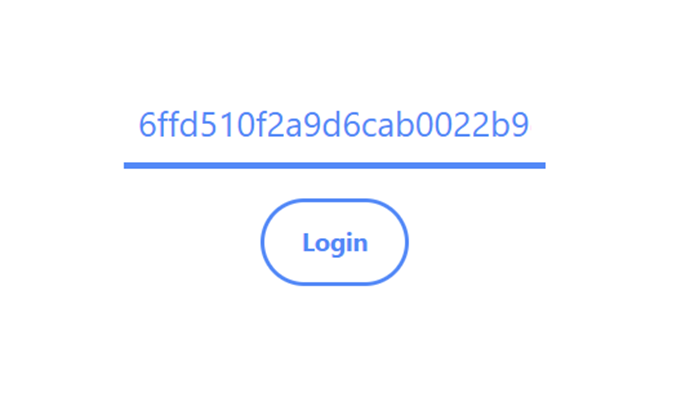
You will now receive an email at the address you provided containing your OTP code. Copy and paste the code into the designated field and click Login.
1
2 2. Personal Information
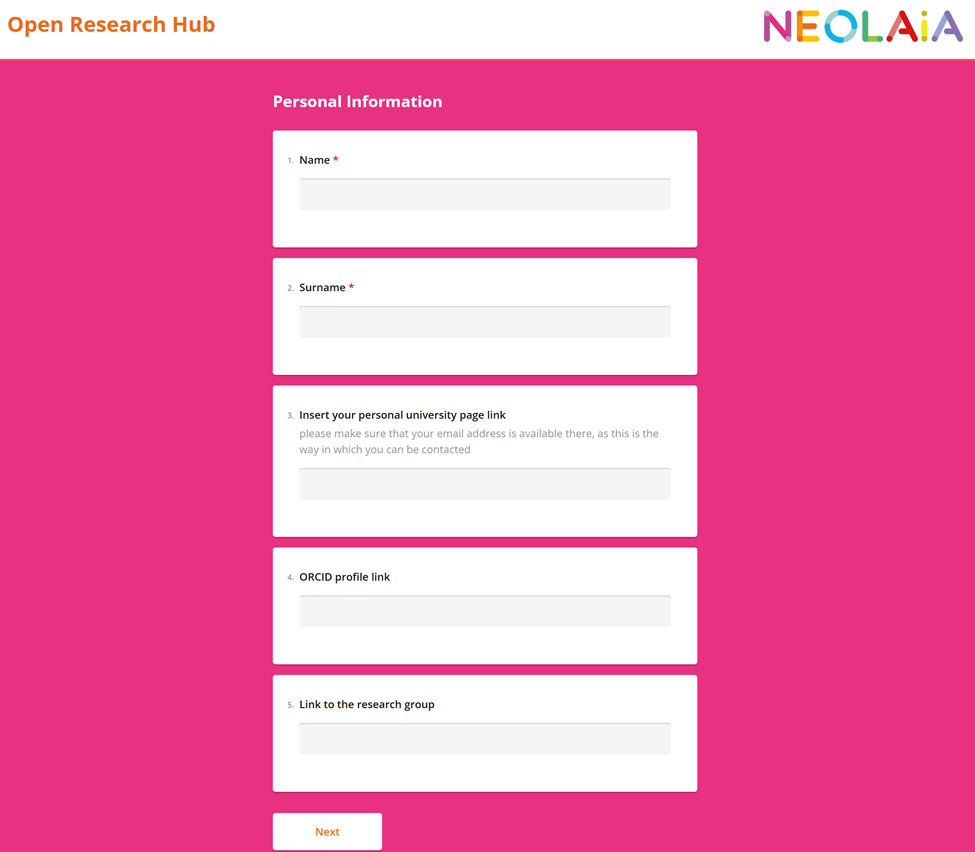
Once registered, you will need to fill out the detailed information for your profile. Here is what is required:
· Name and Surname (mandatory)
· Personal University Page Link (optional)
· ORCID Profile Link (optional)
· Link to Research Group (optional)
After completing these fields, click Next to proceed.
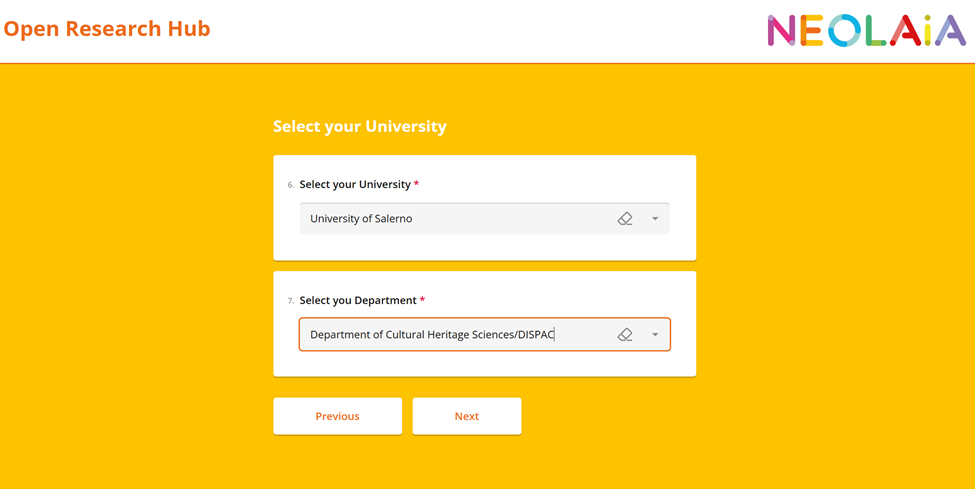
Next, select your university and the department and/or faculty you are affiliated with. Once you have made your selections, click Next to continue.
3. ERC Panel information
In this first section, you can indicate the research areas within which your work is conducted, selecting between a minimum of 1 and a maximum of 3. You can use the PDF provided at the beginning as a reference or find it at this link: https://erc.europa.eu/sites/default/files/2023-03/ERC_panel_structure_2024_calls.pdf
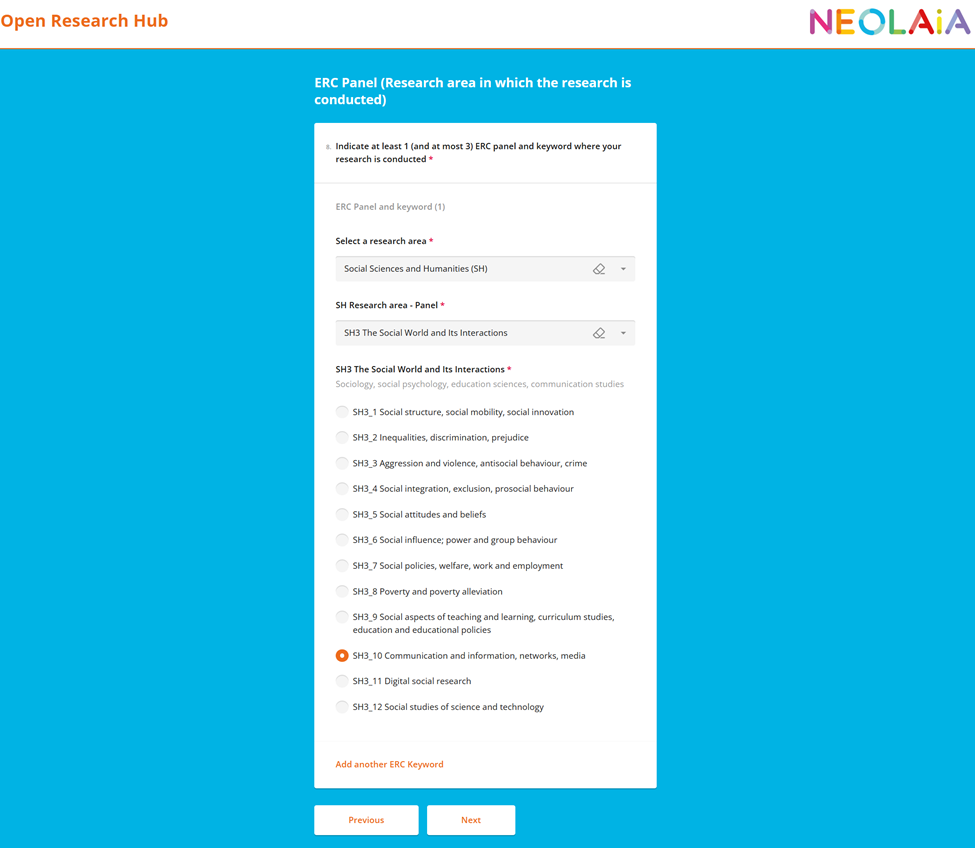
If you realize that you have added one by mistake, you can always remove it.
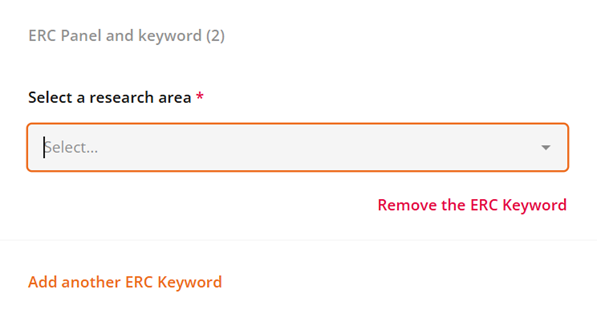
After completing these fields, click Next to proceed.
In this second section, you can specify other areas of research that are of interest to you. For example, if your research is in the field of statistics but applies to economics, you can add this as an additional area of interest.
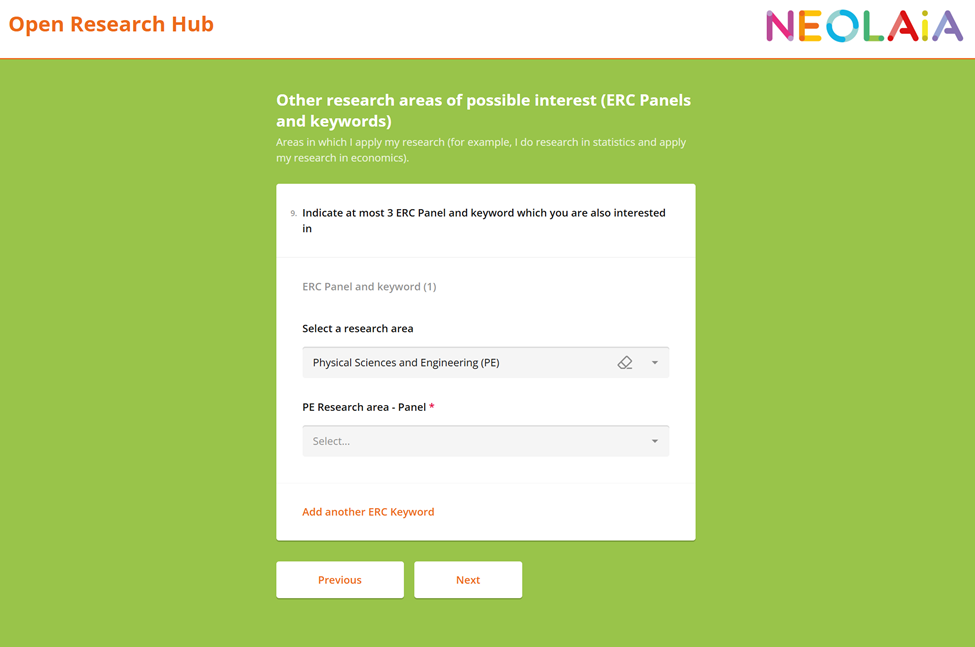
After completing these fields, click Next to proceed.
4. Keywords
In this section, you can add up to 10 keywords related to your research area or interests. You may also choose to use suggested keywords if they apply to your work or leave them out entirely. These keywords help describe your research and make it easier for others to find you based on shared topics of interest.
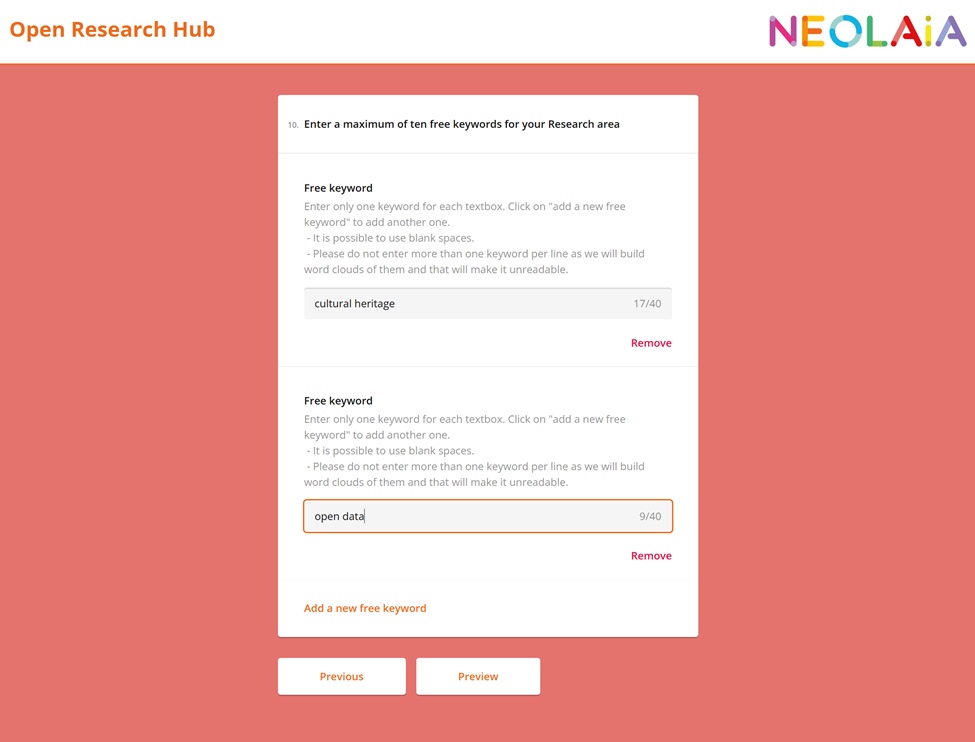
After completing these fields, click Preview to proceed.
5. Profile Recap
In this section, you will see a summary of all the information you have entered in your profile. If anything is incorrect or needs to be updated, you can edit it directly from here. Once you are satisfied with your profile, click complete to proceed.
Your work is now complete, thank you! You can return to the dashboard.