Overview
BookStack organizes information using a structure similar to a traditional book stack.
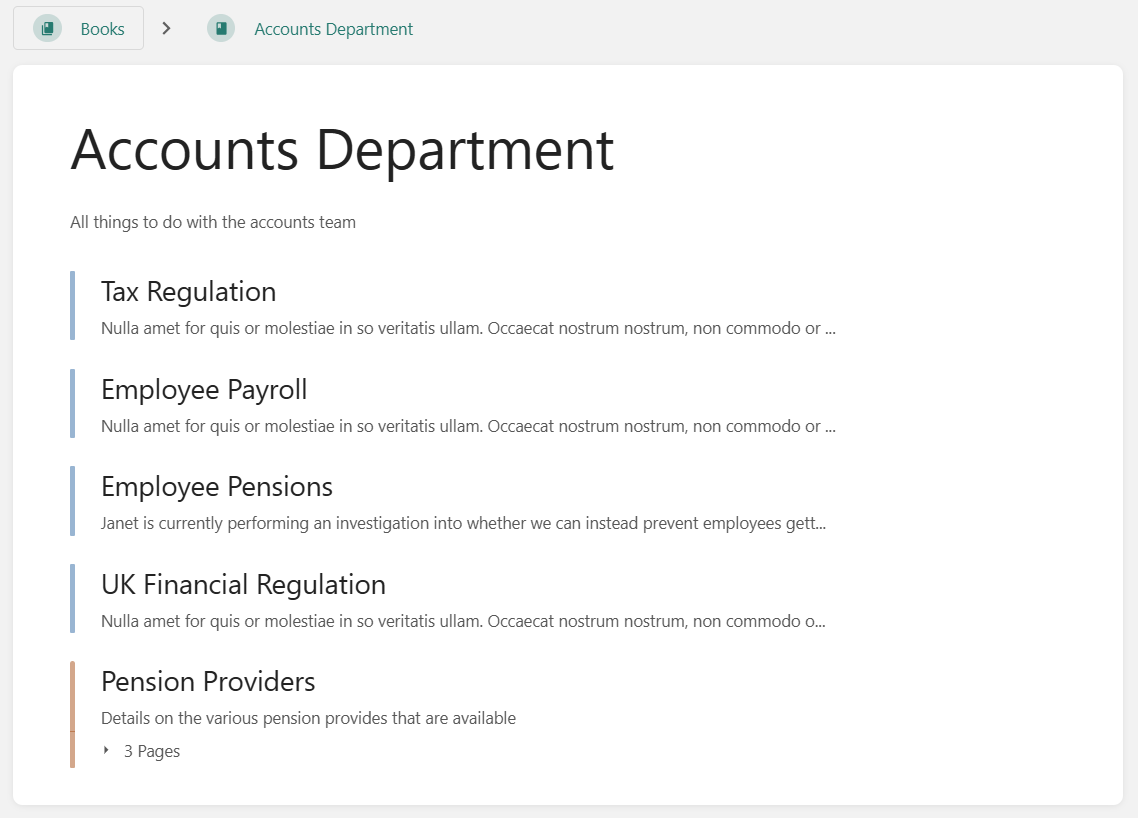
Content is arranged in Books, Chapters, and Pages. A book represents the highest level of organization and is usually dedicated to a single topic. Within a book, users can create pages directly or group them into chapters, which are optional and help keep content organized. All actual information is stored in pages, while books and chapters may include short descriptions to improve searchability and visibility.
Multiple books can be further organized using Bookshelves, which allow related books to be grouped together.
Content hierarchy and organization options
To keep the interface familiar and intuitive, NeoBooks uses real-world book concepts to structure documentation content. All content is created as a Page, which serves as the basic unit of documentation.
-
Pages belong to a specific Book.
-
Within a Book, Pages can optionally be grouped into Chapters for better organization.
-
As your documentation grows, Shelves can be used to categorize Books, with each Book able to belong to multiple Shelves if needed.
This hierarchical structure is central to BookStack’s design and is often a key factor in deciding whether the platform is the right fit for a particular use case—something users tend to either appreciate or find limiting.
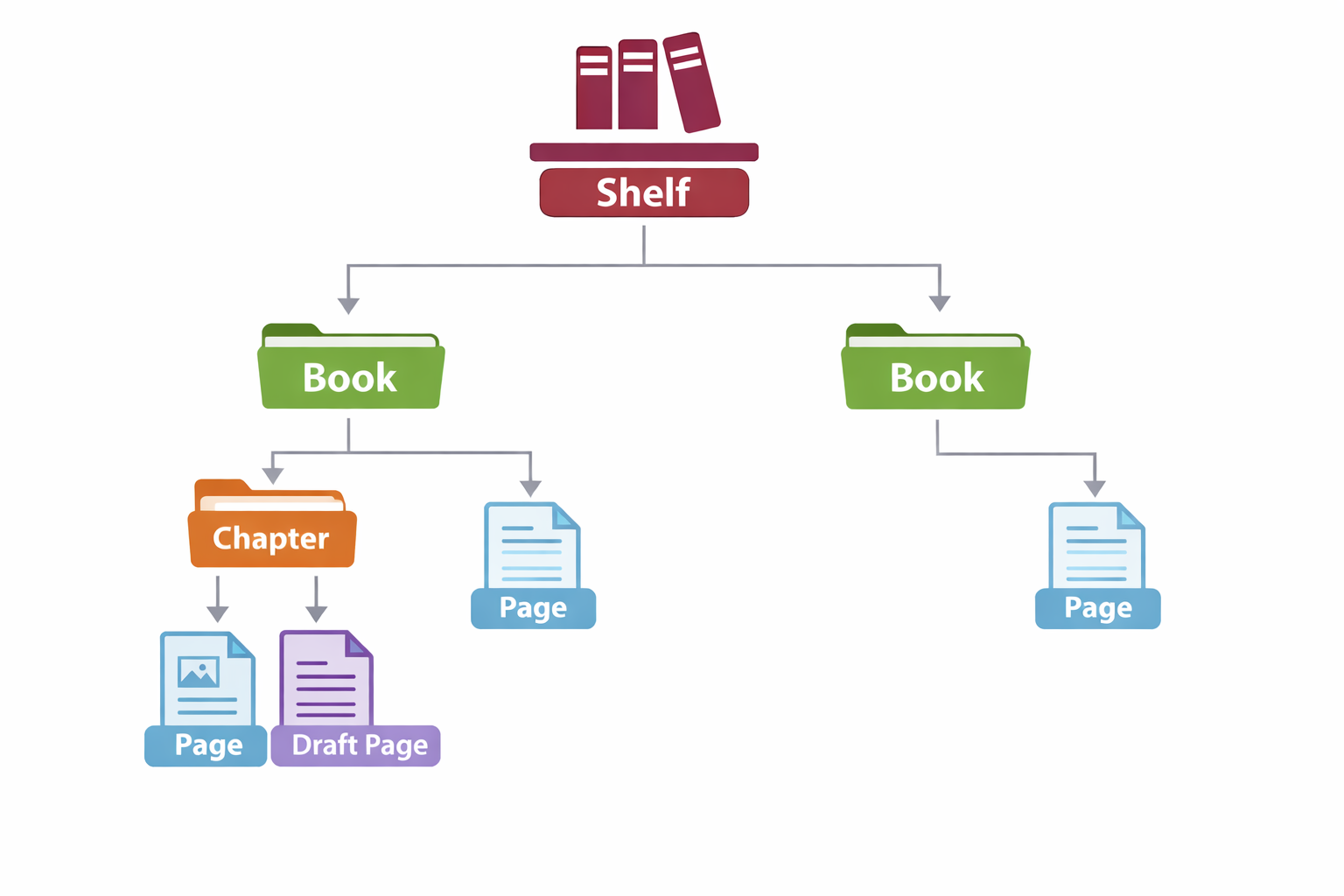
Fig. BookStack content structure: Shelves organize multiple Books; Books contain Pages, which can be optionally grouped into Chapters. Pages may exist as published content or drafts.
What are Shelves, Books, Chapters, and Pages?
BookStack organizes content using a simple, book-inspired structure that makes information easy to browse and manage.
Shelves
Shelves are used to organize Books into broad categories.
When you select Shelves, you will see a list of all available Shelves.
Selecting a specific Shelf displays all the Books it contains.
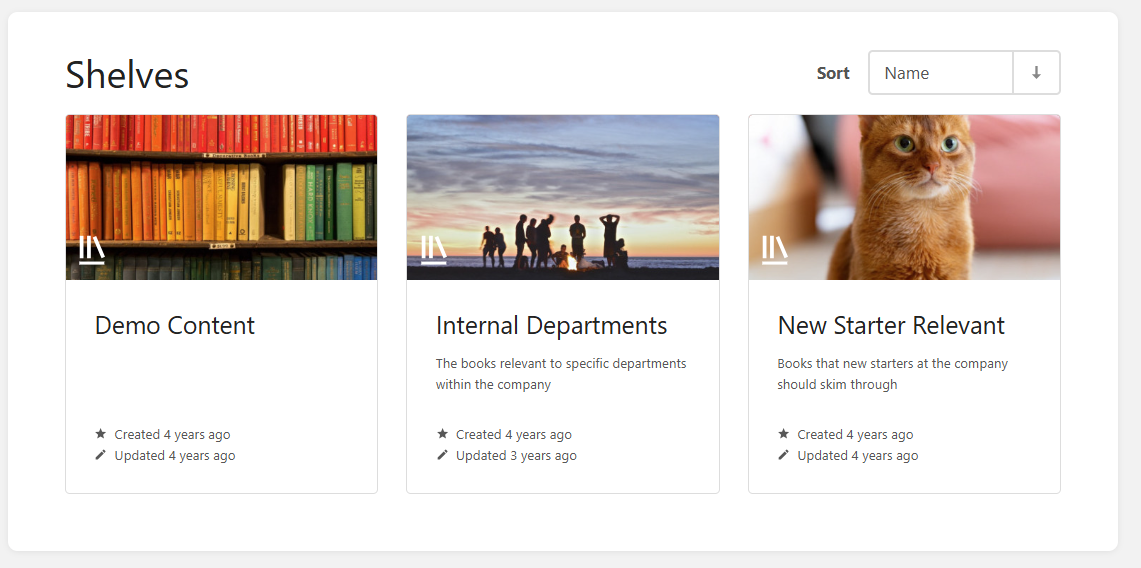
Shelves overview: The Shelves page displays all available Shelves as cards, each representing a category that groups related Books. Users can browse Shelves, view their descriptions, and sort them by name for easier. (Source: Screenshot from the BookStack demo instance at https://demo.bookstackapp.com/)
Books
Each Book covers a specific topic and contains related Chapters and Pages.
When you select Books, you will see a list of all available Books.
Selecting a Book shows its Chapters, along with any Pages that are not grouped within a Chapter.
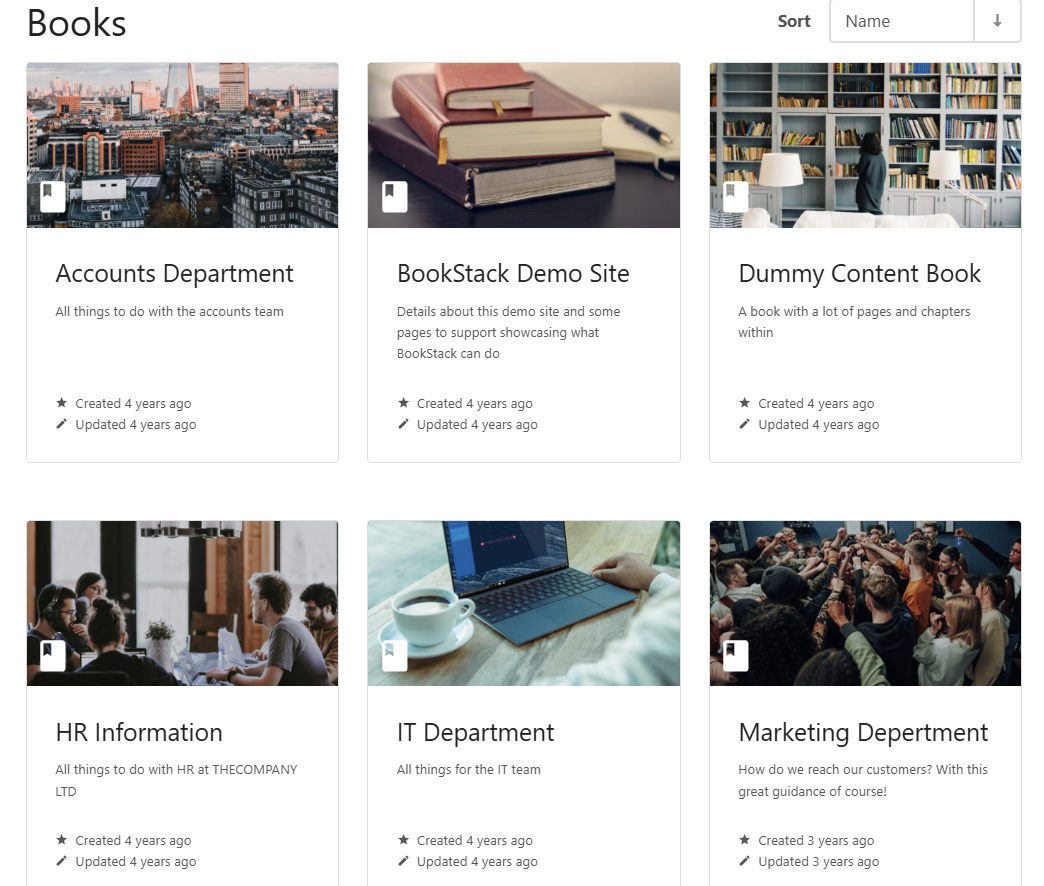
(Source: Screenshot from the BookStack demo instance at https://demo.bookstackapp.com/)
Chapters
Chapters are optional sub-sections within a Book that group related Pages together.
Selecting a Chapter displays all Pages contained within that subcategory.